Start Typing. We’ll Do the Rest.
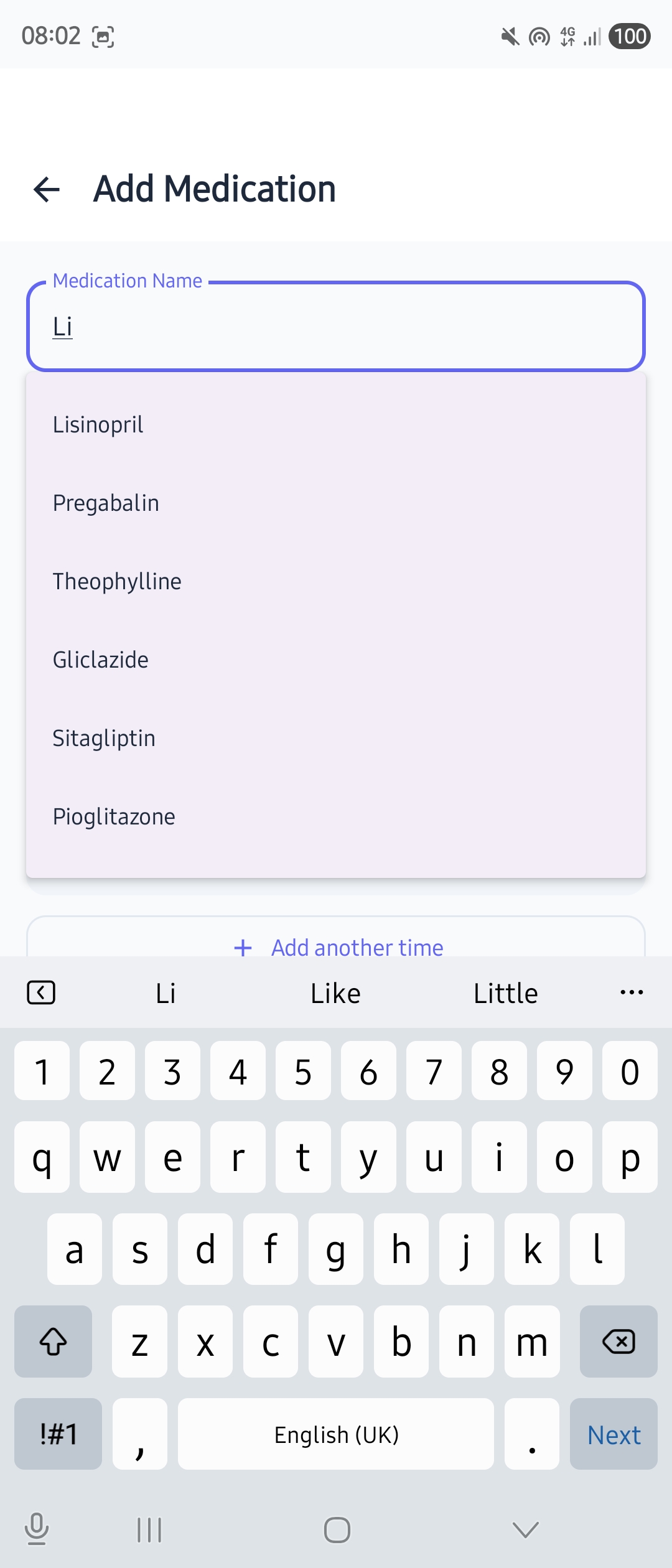
Adding medications should take seconds, not minutes. MedChime includes a built-in medication database with locale-aware suggestions:
- ✓Smart autocomplete — Start typing your medication name and MedChime suggests matches instantly
- ✓UK, US & international — Localised to your region, so you see the names your doctor uses
- ✓Works offline — The database is built into the app, not fetched from the internet. Your searches stay private
- ✓Not in the list? No problem — You can always type any medication name manually
Reminders That Actually Work
Getting reminded is the whole point, right? MedChime makes sure you never miss a dose:
- ✓Notification at the right time — Set reminders for any schedule: once daily, twice daily, or custom times
- ✓One-tap from notification — Mark as “Taken” or “Snooze” without even opening the app
- ✓Snooze when you need it — Not ready? Postpone by 10, 15, or 30 minutes
- ✓Full-screen alarms (Pro) — For critical medications, enable a full-screen alarm that takes over your display until you respond
- ✓Persistent mode (Pro) — Reminders repeat until you respond, so you never miss a critical dose
- ✓Custom notification sounds (Pro) — Choose from a selection of gentle chimes to find the one that works for you
Your Day at a Glance
Open MedChime and instantly know where you stand:
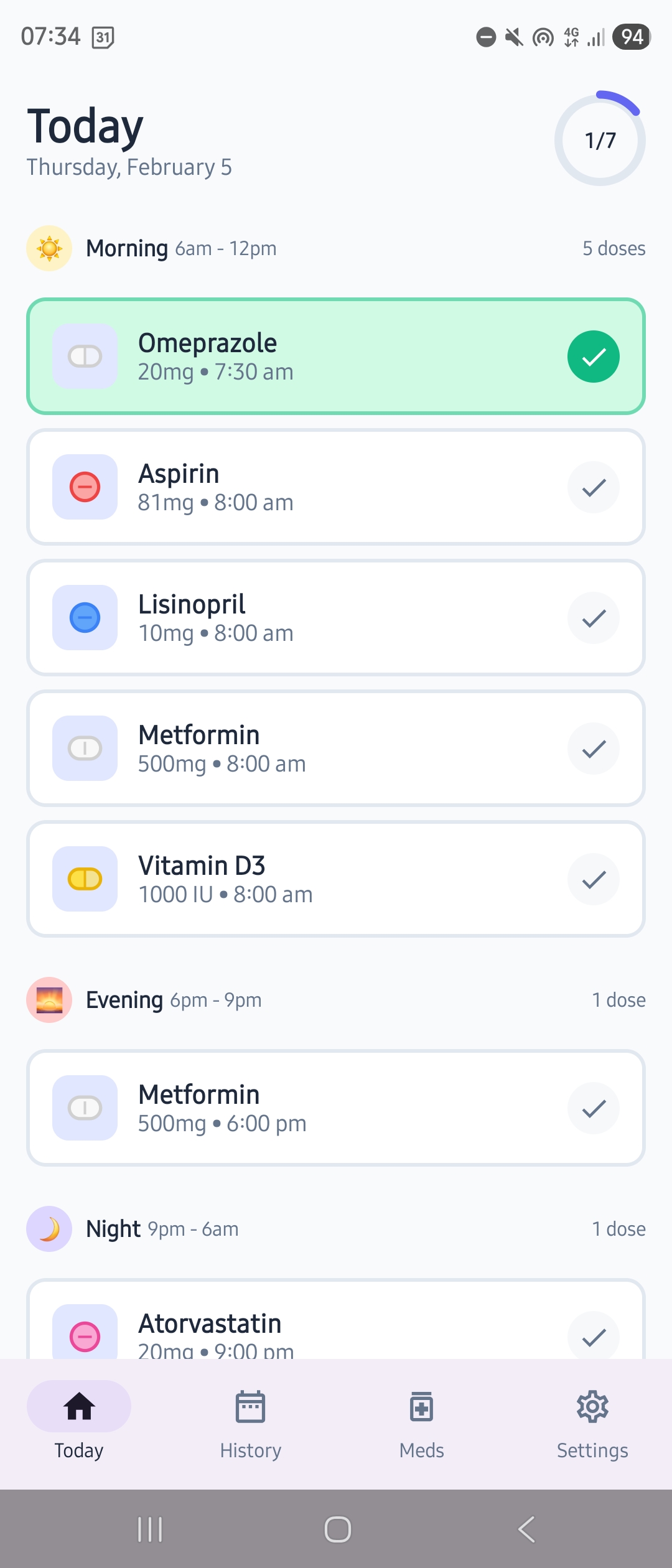
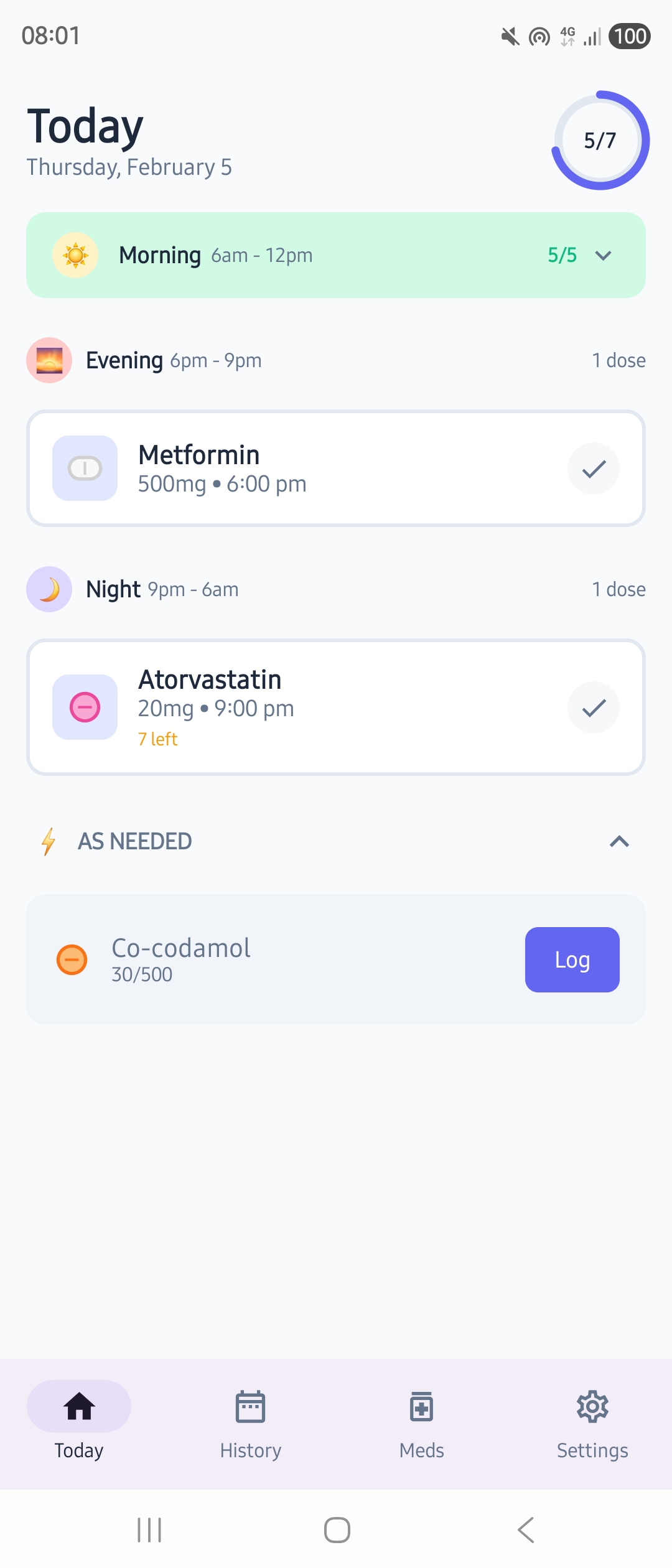
- ✓Progress ring — Shows exactly how many doses you’ve taken out of your total for the day
- ✓Organised by time — Morning, Afternoon, Evening, Night sections match how you think
- ✓Smart collapsing — When all medications in a time slot are taken, that section gently collapses to a tidy summary line
- ✓One-tap logging — Tap any medication card to mark it as taken
- ✓Visual feedback — Cards turn green with a satisfying checkmark
- ✓Custom icons — Assign pill shapes, colours, and medical device icons to each medication
- ✓Celebration — Complete all your scheduled meds and get a little confetti moment 🎉
Not Every Medication Needs a Reminder
Some medications you take on a schedule. Others — like painkillers, rescue inhalers, or anti-nausea tablets — you take only when you need them.
MedChime handles both:
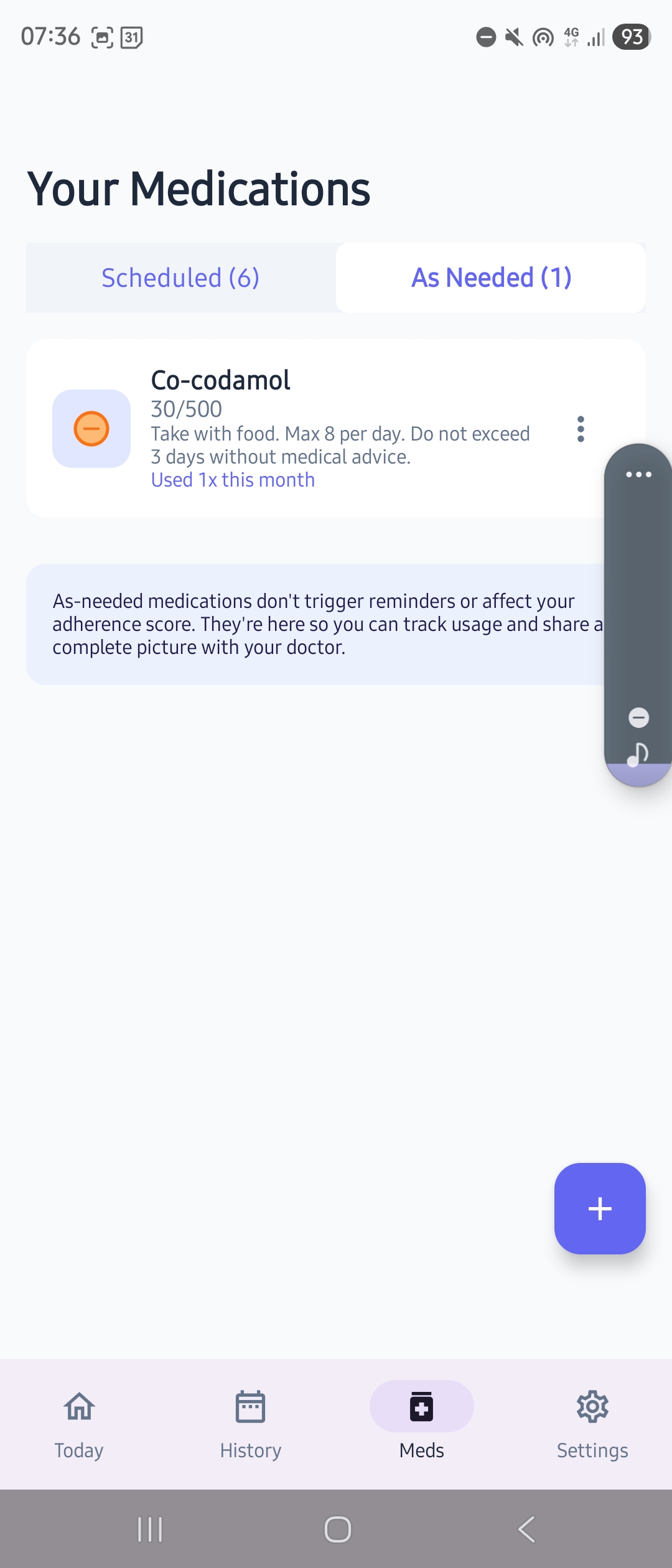
- ✓Add as “As needed” — Choose this when adding a medication and MedChime skips the reminder setup entirely
- ✓Log with one tap — A simple Log button on the Today screen records the dose and timestamp
- ✓Track usage over time — See how often you’re using each as-needed medication
- ✓Keep it separate — As-needed medications don’t affect your progress ring, streaks, or adherence percentage
- ✓Complete picture for your doctor — Exports include both scheduled and as-needed medications
Never Run Out
Nothing worse than reaching for your pill bottle and finding it empty:
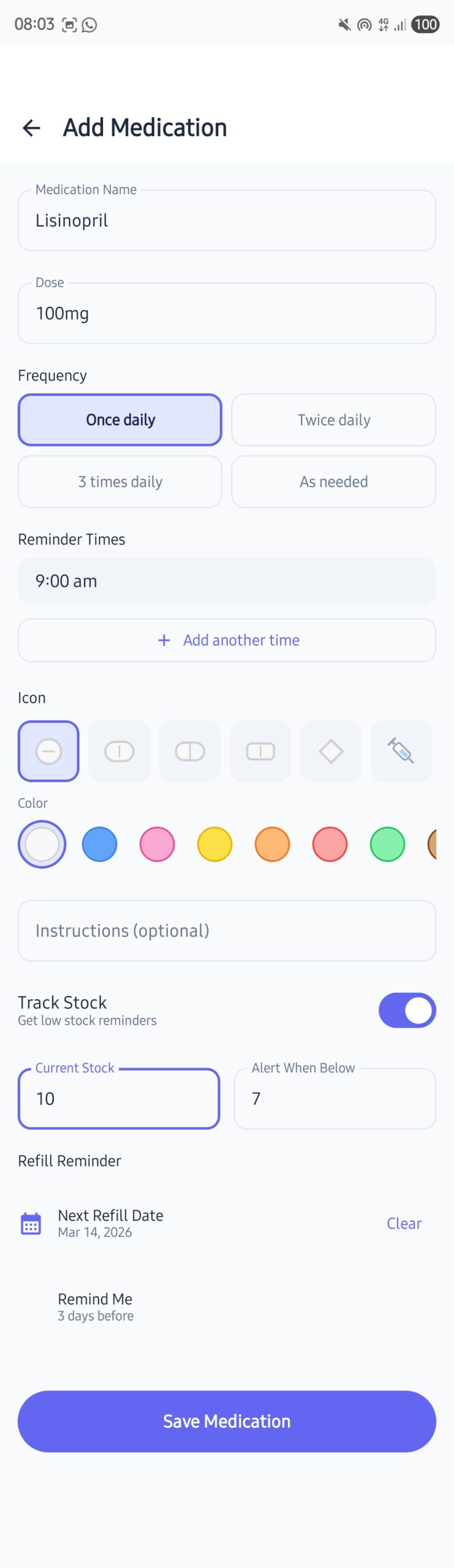
- ✓Track your supply — Enter how many pills you have when you add a medication
- ✓Auto-decrement — Every time you log a dose, the count goes down
- ✓Low stock alerts — Get notified when you’re running low (default: 7 days supply)
- ✓Refill reminders (Pro) — Set a specific date to remind you to reorder
See Your Patterns
Understanding your habits helps you improve them:
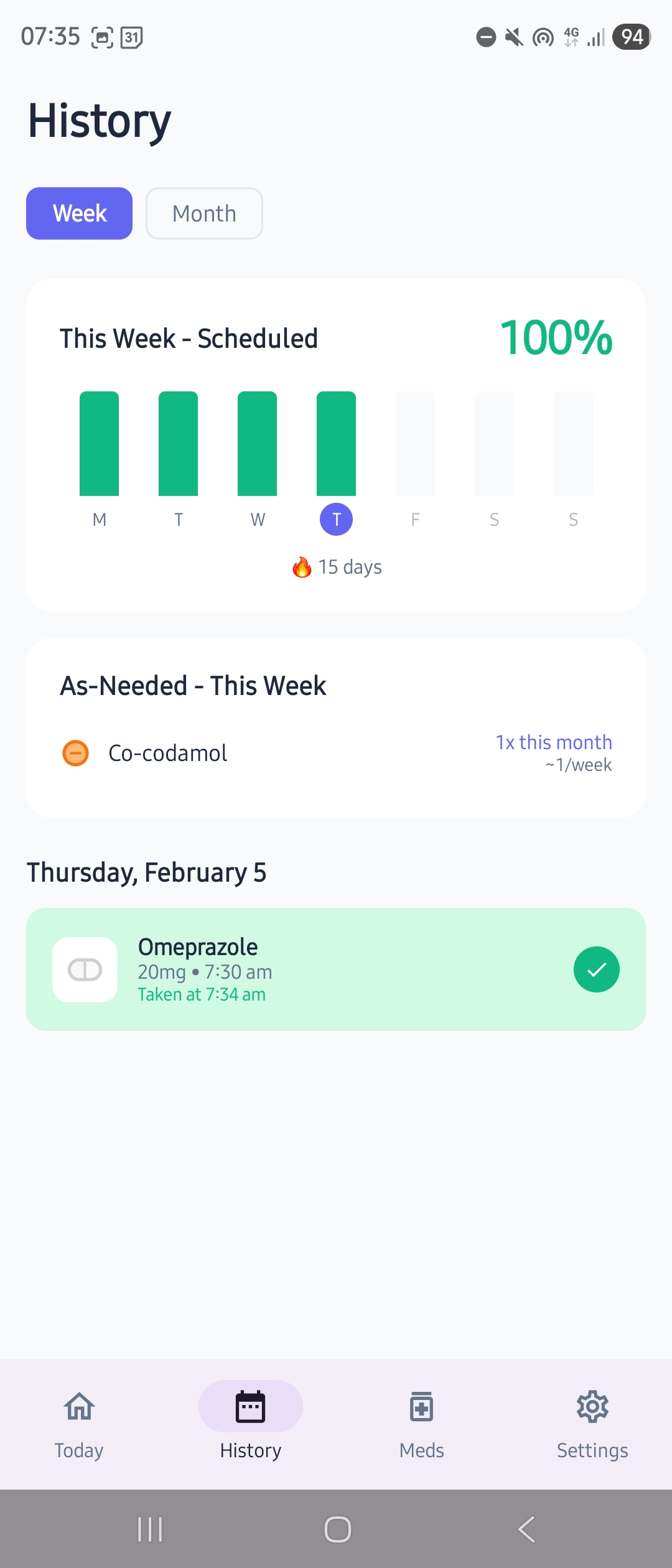
- ✓Week view — Colour-coded daily bars show your adherence at a glance. Tap any day to see exactly what you took or missed
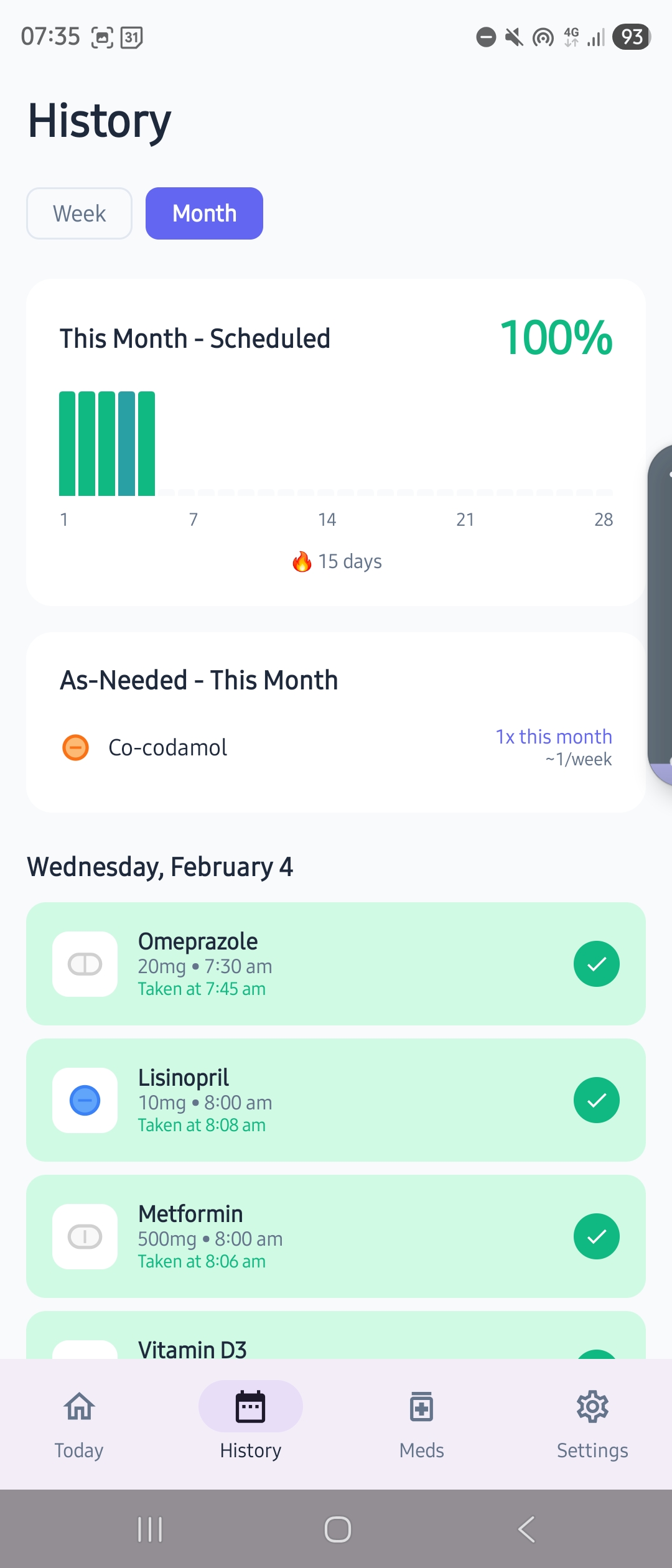
- ✓Month view — The same experience over a full month with day markers and current day highlighted
- ✓Dose history — Select a day and see every dose recorded, with the actual dose amount and time
- ✓Adherence statistics — Basic stats in the free tier, detailed trends in Pro
- ✓Streak counter (Pro) — Track your consistency and celebrate milestones
- ✓As-needed usage — Weekly and monthly summaries tracked separately from scheduled adherence
- ✓No judgment — We show the data, not guilt trips
Your Data, Your Control
Take your information anywhere you need it:
- ✓CSV export (Pro) — Download your complete medication history as a spreadsheet
- ✓PDF reports (Pro) — Formatted reports perfect for doctor visits
- ✓Local encrypted backup (Pro) — Save an encrypted backup file to your device
- ✓Restore anytime — Moving to a new phone? Restore from backup in seconds
Private by Design, Not by Promise
We didn’t just write a privacy policy. We built privacy into every decision:
- ✓No internet required — Core features work completely offline
- ✓No account needed — Nothing to hack, nothing to leak
- ✓No cloud storage — Your data never leaves your device
- ✓No analytics — We don’t track how you use the app
- ✓No ads — Not even in the free version
- ✓No data sales — We make money from the app, not from you
Verifiable: Check for yourself — MedChime doesn’t even request internet permission. Go to Settings → Apps → MedChime → Permissions and see.
Free vs Pro

Ready to Try It?
Download MedChime and set up your first medication in under a minute.
No sign-up. No credit card. Just download and start.